Get everyone on the same page.
Share one invite in your group chat. Keep the time, court and confirmed players together, whether it’s a private game or open to new people.
Preview a game plan ↑
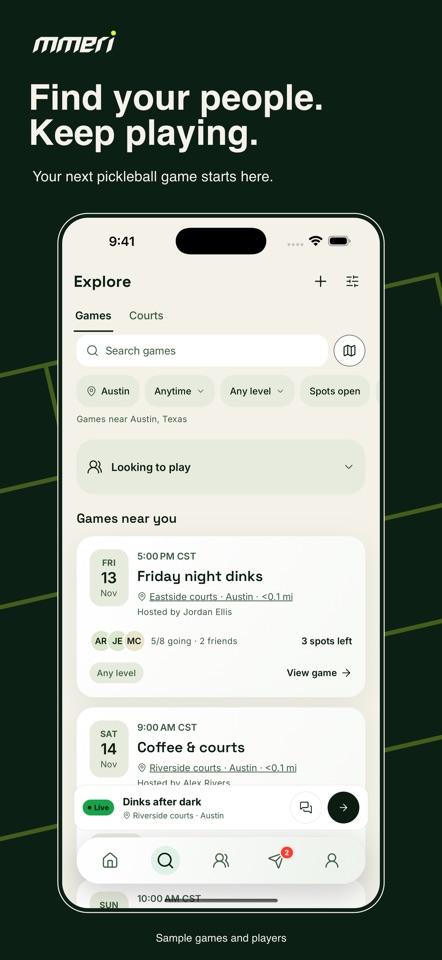
Join a game nearby or bring your regulars. Keep the court, time and players in one place, then save the score for the rematch.

Free to download
INSIDE MMERI
See how Mmeri works, or read the guide to finding and organizing pickleball games.
Actual app screens with sample players and games. Court artwork is illustrative.
FIND A GAME
Browse nearby games and court guides. With Looking to play, find people who are free before making a game plan.
MAKE THE PLAN
Keep your group chat. Share the invite there, and keep the time, court and who’s going in Mmeri. Squad chat is optional.
FIND YOUR PEOPLE
Bring your regulars into a squad, or explore local communities for court guides and discussions. Following a community never signs you up for a game.
KEEP IT GOING
Keep direct, game and squad conversations together. Set your play preferences, look back at your games and plan the rematch.
Keep your record and see where you stand in your squad. Same players next week? Play again starts a draft you can review.
Watch the game-to-rematch demo ↓BUILT FOR HOW YOU PLAY
Share one invite in your group chat. Keep the time, court and confirmed players together, whether it’s a private game or open to new people.
Preview a game plan ↑Make teams, see who’s up next and keep score as you play. Hosts can use team suggestions or pick the teams themselves.
See games in action ↓Keep your match history and compare squad standings by record or win percentage. Want another shot? Play again opens the next game’s draft for you to review.
Preview a squad feed ↑Choose who can find your game. Manage your profile privacy. Report content or block a player when you need to.
For the friends you already text every week. Bring them into one squad and give the next game a home.
See how a game with your regulars turns into the next one.
24-second app walkthrough. Recorded screens and stills with sample players and private demo games.
A squad brings four sample players together. Open the upcoming game to see its plan and players. After a completed sample session, see the scores and use Run it back to open the next game’s draft. The draft is not published and invitations are not sent in this demo.
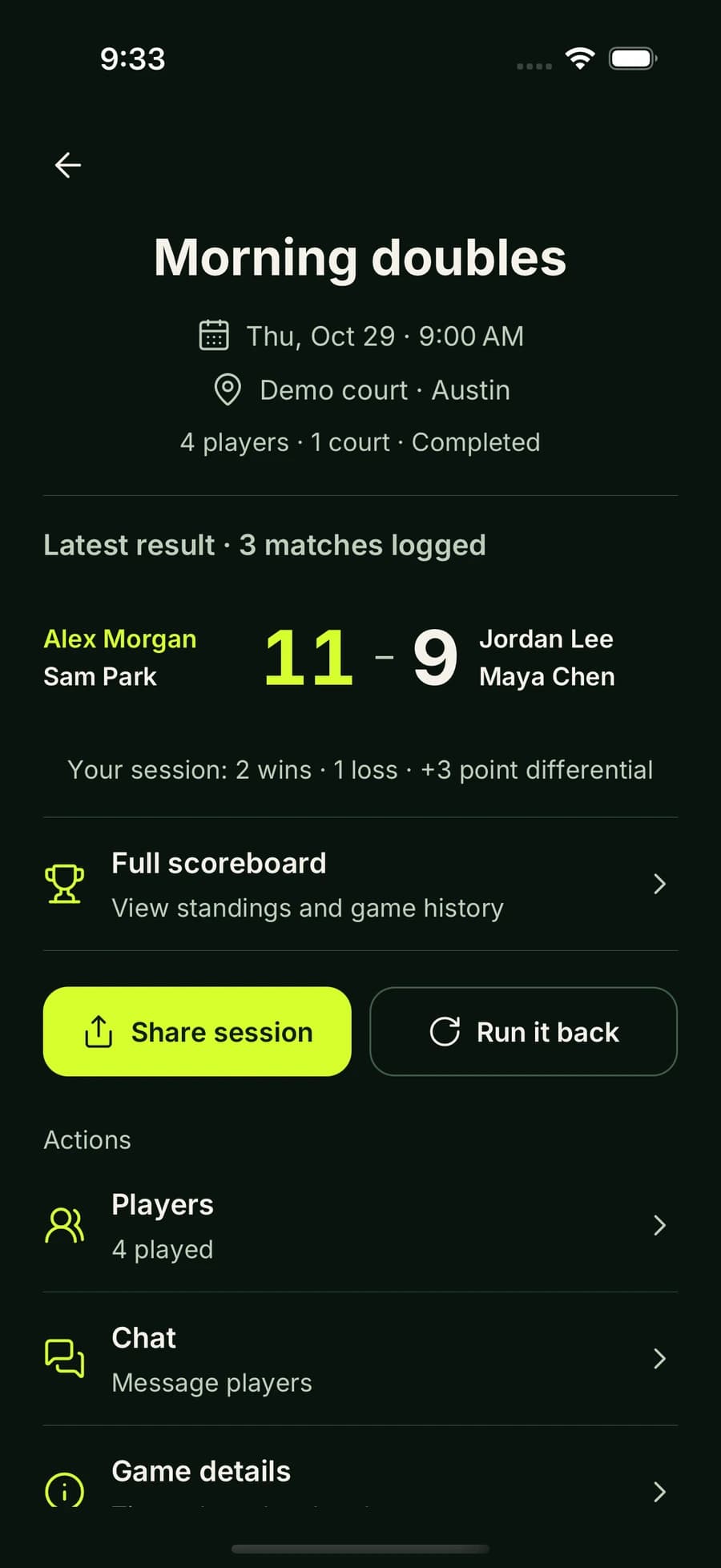

Find a game nearby or invite your crew. See who’s coming, keep score, and line up the rematch.
View on the App Store